CyberPony Express
CYBER PONY EXPRESS
Get Involved with Cyber Pony Express
> CyberPony Express Update
The First Meetup
Hey Cyberpony Express Crew,
Thanks for coming to the workshop! We had a great time hanging out, we handed out some hardware, and everyone learned a little bit of what Meshtastic radios can do.
Next Steps
- Sign up for a volunteer effort and get notified about the next time we run one of these by signing up here.
- For guidance on flashing your Meshtastic device, refer to the comprehensive setup tutorials provided by Meshtastic. Liz also wrote one here.
- Didn't Get A Device? You can find the stuff you need to buy here.
- Want to help us buy more devices? This is a restricted donation link, all money raised can only be used to buy more devices for this project.
- Plan and simulate the reach of your mesh network node using the interactive site planner from Meshtastic. It accounts for topographical line-of-sight and allows you to customize the signal strength and antennae gain.
Volunteer Efforts
Some of the volunteering efforts are listed here, note which ones you want to help with in the form below.
- Repeater Nodes: The easiest thing you could do is plug in and act like a repeater node.
- Bulletin Board System (BBS) Software: Explore the TC2-BBS Mesh Software tailored for Meshtastic networks.
- Installing New Packages on Meshtastic: Enhance your device's functionality by installing new packages. Detailed instructions can be found in the meshtastic developer guide.
- Anyone from the Multiverse want to help us set up a relay for Matrix?
- Internet-in-a-Box Project: Discover how to create a self-contained internet resource for offline use with the Internet-in-a-Box project.
- Raspberry Pi 4 Setup for Internet-in-a-Box: Learn how to configure a Raspberry Pi 4 to serve as an Internet-in-a-Box with this guide.
High-Capacity SD Cards
For optimal storage, consider using a high-capacity SD card compatible with Raspberry Pi devices. Here are some top recommendations:
- SanDisk 2TB Extreme PRO microSDXC UHS-I Card: $279.99
- SanDisk 1TB Extreme microSDXC UHS-I Memory Card with Adapter: $194.20
- SanDisk 2TB Extreme PRO Portable SSD: $238.00
We'll send out a regular-ish newsletter with next steps for volunteering, projects, and events! Don't miss out, sign up here.
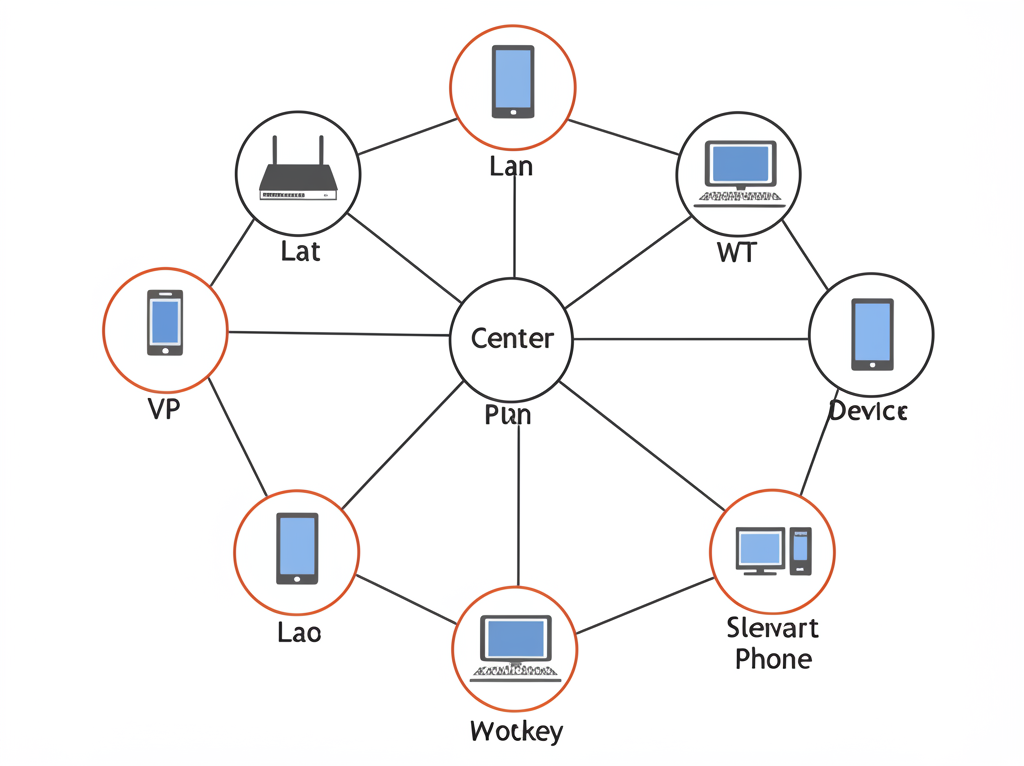
> Hardware Options
Here are the recommended hardware options for getting started with Meshtastic. You can either apply to host a free node or purchase your own using the links below.
T-Deck Setup
- T-Deck on Amazon - Base unit with screen and keyboard
- 915MHz Antenna for US - Recommended antenna upgrade
- 3.7V 3000mAh Lithium Rechargeable Battery - Extended battery option
- GPS Module - For T-Deck base model (T-Deck Plus includes GPS)
- T-Deck Plus on LilyGO site - Official manufacturer store
- 3D printed T-Deck case - Case design
RAK Wireless Options
- RAKwireless WisBlock Meshtastic Starter Kit - Under $38 on Amazon
- RAK Wireless 4631 Kit - Official store link
- 1000mAh Rechargeable Battery - Compatible with RAK nodes
Heltec Options
- Heltec V3 on AliExpress - $17 shipped with antenna
- Heltec V3 with GPS on AliExpress - $23 with GPS
DIY/Low-Cost Builds
- Simple Cutie Meshtastic Node Guide - Kody Kinzie's Nibble node tutorial
- Bluetooth Nugget Meshtastic Nodes - Advanced build with UART, SPI, I2C
- Dollar Tree Storage Boxes - Budget weatherproof enclosure option
> Workshop Materials
Cyberpony Express Meshtastic Workshop 2: Hardware
Official Resources
- Meshtastic Website - Main site with documentation and site simulation
- BayMe.sh - Bay Area mesh networking community
- Mesh Map - Map of global Meshtastic nodes
- High Desert Institute - Initial Cyberpony Express Workshop Recap
- High Desert Institute - Cyberpony Express Build List v0.1
Educational Resources
- Kody Kinzie's Beginner Meshtastic Talk - Video introduction to Meshtastic
- T-Deck Flashing Guide - Guide for flashing T-Deck with latest version
- Low Tech Magazine - Resource for solar/sustainable tech
- Kiwix Offline Wikipedia - Tool for storing offline copies of Wikipedia
Communities
- High Desert Institute Discord - Discord community
- SoCal Mesh Net - Southern California mesh network community
- Null Space Labs Meetup - LA-based meetup group
- Burning Mesh - Resource for Burning Man mesh networks
- Cyberpony Express GoFundMe - Fundraising for community nodes
> Amateur Radio Clubs
In addition to participating in disaster preparedness and response, local amateur radio clubs are the primary force behind actually building and maintaining the infrastructure that makes repeater networks like ARES and RACES possible.
These clubs typically set up networks of repeaters on mountaintops, on top of tall buildings, on radio towers, etc. These enable long distance communication on licensed frequencies both for voice communication and APRS (packet radio).
This is very close to what we are already doing, so working with them to install Meshtastic repeaters at these kinds of locations would be a huge structural advantage for the network we are building.
- Amateur Radio Club of Alameda: hosts an amateur radio repeater in Alameda.
- Bay Net: owns and operates an amateur radio repeater network spanning the bay area. Their current network of repeaters includes four repeaters placed on mountain tops around the bay (Palo Alto, Oakland Hills).
- Benicia Amateur Radio Club: operates two repeaters in Benicia.
- Cathay Amateur Radio Club: has a lot of information about amateur radio repeater locations around the bay area (Palo Alto, Mountain View, Mount Diablo, Los Gatos, San Jose, Oakland Hills).
- Coastside Amateur Radio Club: operates an amateur radio repeater in Pacifica.
- East Bay Amateur Radio Club (W6CUS): recently lost their location and are trying to find a new base of operations to relaunch their organization which has partnered with the Red Cross for decades.
- Foothills Amateur Radio Society: south peninsula amateur radio club which appears to operate an amateur radio repeater.
- Half Moon Bay Amateur Radio Club: operates an amateur radio repeater on a nearby mountain top.
- Livermore Amateur Radio Club: has a lot of information about amateur radio repeaters throughout the bay area and into the central valley.
- Community Emergency Radio Association (CERA) operates amateur radio repeaters across El Dorado County. Their current network of repeaters includes: Coloma, Placerville, Pollock Pines, Cosumnes, Oak Hill.
- Northern California Contest Club (Livermore): Amateur radio club focused on winning contests around things like long distance communications, complex antenna configurations, etc.
- Mad Scientist Amateur Radio Club: operates an amateur radio repeater in San Mateo.
- Marin Amateur Radio Society: operates a network of six amateur radio repeaters: Bahia Ridge (Novato), Mount Tamalpais, Middle Peak x2, West Peak x2, Mount Barnabe (Lagunitas).
- Milbrae Amateur Radio Club: seems to be active and having regular meetings. Their website seems to indicate that they want to work on deploying more disaster response infrastructure.
- Mother Lode DX/Contest Club: an amateur radio club in Jackson, CA focused on contests.
This seems to be one of the biggest, oldest, and most active amateur radio clubs in the area. I have also seen them on Meshtastic so they are already an active part of what we are working on!
Their website has a lot of information about existing efforts to build out Meshtastic networks across the bay area and central valley:
- MDARC operates two Meshtastic Routers on the North peak of Diablo Mountain which you have likely seen in the app. These routers allow reliable connections between San Francisco and Sacramento.
- BayMe.sh is a mehtastic network with nodes across the Bay area.
- SacValley Mesh is a meshtastic network with nodes across the broader Sacramento area which connect across Diablo Mountain to the bay.
- Central Valley Mesh is a work in progress, but there are already lots of nodes deployed.
- North Bay Amateur Radio Association: has information about local repeaters, social media pages, and operates an amateur radio repeater in Vallejo.
- Northern California DX Club: operates an amateur radio repeater in Palo Alto.
- Oakland Radio Communication Association: hosts trainings for amateur radio licenses, ARES, RACES, etc. Operates a repeater.
- Palo Alto Amateur Radio Association: operates an amateur radio repeater in San Jose.
- Redwood Empire DX Association (Santa Rosa): has regular meetings and seems to operate a repeater.
- San Bruno Amateur Radio Club: operates a repeater in San Bruno.
- San Francisco Amateur Radio Club: Their website is a little sparse but they have two repeaters operating on Sutro tower!
- San Lorenzo Valley Amateur Radio Club: operates two amateur radio repeaters accessible across Monterey Bay
- San Mateo Radio Club: operates an amateur radio repeater on a nearby mountain top and hosts regular events.
- Santa Cruz Amateur Radio Club: operates an amateur radio repeater on a mountaintop in Santa Cruz.
- Sonoma County Radio Amateurs: operates a network of four amateur radio repeaters reaching Sonoma, Marin, Napa, and Lake Counties.
- South Bay Amateur Radio Association: has a lot of information about local amateur radio repeaters.
- Stanford Amateur Radio Club: hosts workshops where you build your own radio.
- Vaca Valley Radio Club: Operates four repeaters: Mount Vaca x2, Fairfield, Vacaville.
- Valley of the Moon Amateur Radio Club: seems to operate an amateur radio repeater in Sonoma but details one website are sparse.
- W6AER: an amateur radio repeater station in Pacifica. (Many amateur radio clubs and organizations name themselves after their FCC license number.)
> Frequently Asked Questions
Meshtastic is an open-source, decentralized mesh networking project that uses long-range, low-power radio (LoRa) to create networks that work without internet or cell service. It's often described as "text walkie-talkies" that can send messages over several miles.
Most beginners start with either a T-Deck Plus (~$75-90) which includes a screen, keyboard and GPS, or a more basic option like a Heltec V3 (~$17-23). You'll need the appropriate frequency for your region (915MHz in US, 433MHz in EU/Asia).
No. Meshtastic uses the license-free ISM (Industrial, Scientific, and Medical) radio bands and stays under power limits that would require licensing. This is different from ham radio, which requires licenses.
Range varies significantly based on terrain, antenna, height, and settings. Under ideal conditions with line-of-sight, nodes can communicate several miles apart. In urban environments with buildings, range is typically less than a mile.
Messages in Meshtastic are encrypted. Direct messages use end-to-end encryption, while channels use pre-shared keys. The system is decentralized, so there's no central point of control or failure. However, if a node is physically compromised, data stored on it could potentially be accessed.
Common use cases include:
- Disaster preparedness and emergency communications
- Outdoor activities in areas without cell service
- Community organization and resilience networks
- Environmental monitoring (with added sensors)
- Privacy-focused communications
These settings control the balance between range and speed. "Long" refers to range settings, while "Fast/Medium/Slow" refers to data transmission speed. All nodes communicating together must use the same settings.
Yes, there's a Meshtastic app that can connect to nodes via Bluetooth, WiFi, or direct USB connection. This provides a user-friendly interface for messaging and configuration.
Nodes on the same channel automatically form a mesh network, relaying messages between them. You'll need to configure them with the same channel settings (but each node has a unique ID).
The Meshtastic website (site.meshtastic.org), the High Desert Institute Discord, SoCal Mesh Net group, and Kody Kinzie's YouTube tutorial are all great places to start. Additionally, local groups are forming in many regions.
Power consumption varies by device and settings, but most portable nodes can run several days on small batteries (1000-2000mAh). Permanent installations often use larger batteries with solar charging.
Some nodes can act as "bridges" to connect the mesh network to other services, but this requires additional configuration and hardware. The core functionality works entirely without internet.
The T-Deck Plus comes with a case and GPS functionality built-in, while the standard T-Deck doesn't include these features. The T-Deck Plus is generally recommended for beginners as it's ready to use out of the box.
Yes, there's an experimental "Fancy UI" firmware that provides a more user-friendly interface on the T-Deck compared to the standard firmware. This UI is still in development but offers improved usability with features like a better boot screen, smooth scrolling, and more intuitive menus.
You'll need to download the firmware files, connect your T-Deck to a computer via USB while holding down the trackball button, and use the Meshtastic web flasher (flasher.meshtastic.org) in a Chromium-based browser to upload the firmware. Specific instructions are available on sites like OM7TEK.com.
If privacy is a concern, consider:
- Using the T-Deck as a standalone device rather than connecting to your phone via Bluetooth
- Setting up encrypted channels with secure keys for sensitive communications
- Having a procedure to quickly delete keys/wipe the device if necessary
- Being aware that if a device is physically compromised, stored messages could be accessed
Yes, many Meshtastic devices support additional sensors. Popular options include:
- BME/BMP sensors for temperature, humidity, and barometric pressure
- GPS modules for location tracking
- Radiation sensors for monitoring background radiation levels
- Air quality sensors
For a city of half a million people, approximately 10-15 strategically placed nodes would be sufficient for basic text messaging. This is because the network primarily carries small text messages rather than large files or media.
Yes, by combining Meshtastic nodes with additional hardware like a Raspberry Pi running "Internet in a Box" software, you can create access points that provide offline copies of Wikipedia, maps, and other resources. This works over WiFi rather than LoRa and requires being in proximity to the node.
Yes, using the "Store and Forward" feature. Nodes can be configured to hold messages for specified periods and deliver them when the recipient comes back online. More permanent message storage (like a BBS system) requires additional setup and hardware.
To extend battery life, consider:
- Using appropriate profile settings (Router or Repeater modes use less power than Client mode)
- Limiting GPS use if not needed
- Using larger batteries for permanent installations
- Adding solar charging for outdoor nodes
- Carefully selecting radio settings based on your needs
The T-Deck provides a fully standalone experience without requiring a phone, which offers better privacy and security since Bluetooth isn't needed. It includes its own screen, keyboard, and a more intuitive user interface, making it ideal for emergency situations when you may want to conserve your phone's battery or avoid carrying a traceable device.
The easiest way is to check meshmap.net to see registered nodes in your area. You can also send a message on the public channel asking if anyone is nearby. Local community groups, ham radio clubs, and makerspaces often have Meshtastic enthusiasts who can help you connect with the local network.
Yes, there are several DIY options. Kody Kinzie's "Nibble" node is a popular example that can be built for around $15 using an ESP32-S3 and RFM95 radio module. These DIY options are great for beginners to learn about the technology and can be much more cost-effective when deploying multiple nodes.
Meshtastic uses a flooding protocol for message distribution - when a node receives a message, it rebroadcasts it to all other nodes within range. This creates a self-healing mesh where messages can find their way through multiple paths. Nodes automatically discover each other when they're within range and using the same channel settings.
LoRa is very low bandwidth, often compared to old dial-up modems with speeds ranging from 1-21 kbps depending on settings. It's designed for small text messages, not images, videos, or large files. A typical text message is well under 100 bytes and transmits quickly, but the network wouldn't handle streaming content or large downloads.
While Meshtastic offers encrypted communications, it's important to understand the security implications. For truly sensitive communications, consider:
- Using a standalone device like the T-Deck rather than pairing with a phone
- Setting up dedicated encrypted channels with strong keys
- Having clear protocols for device security if confronted by authorities
- Understanding that physical access to a device could compromise message history
If a node goes offline, the mesh automatically reconfigures to route messages through other available paths if possible. Nodes configured with "Store and Forward" capability will hold messages for offline recipients and deliver them when they come back online. The resilience of the network increases with more nodes.
Many Meshtastic nodes support adding a BME280/BME680 sensor board for around $2-5. These sensors can measure temperature, humidity, and barometric pressure. The data is automatically shared as telemetry with the node's status updates, allowing for distributed weather monitoring across a community network.
Yes, you can install Meshtastic nodes in vehicles to extend your network range while traveling. Mobile nodes also help bridge gaps between fixed installations. Some users install nodes in their cars, bikes, or even drones to provide temporary coverage for events or emergencies. Store-and-Forward nodes that travel can carry messages further than the stationary range of the device.
Yes, but range will be significantly reduced. Radio signals at 915MHz are attenuated by walls, especially concrete and metal structures. For indoor use, you may need more nodes to ensure adequate coverage throughout a building. Placing nodes near windows can help them connect to outdoor nodes.
Basic nodes require minimal technical knowledge - if you can follow instructions to download an app and pair a Bluetooth device, you can set up a simple node. More advanced setups like BBS systems, internet integration, or environmental monitoring require more technical skills. The community is very supportive of beginners.
A client node is typically connected to your phone or computer and is used for sending/receiving messages. A router node acts as an infrastructure device that extends the mesh network without necessarily being directly used for messaging. Router nodes typically use less power as they don't need displays or Bluetooth connectivity.
While the radio signals can technically be located with specialized equipment, the decentralized nature of the network makes it difficult to shut down completely. The nodes use software-defined radios that can be reprogrammed to use different frequencies if necessary. Additionally, the encrypted nature of communications provides protection against casual surveillance.
The easiest way is to use the Meshtastic Web Flasher (flasher.meshtastic.org) with a Chrome or Edge browser. Connect your device via USB, select your device model, choose the firmware version (usually the latest stable release), and click "Flash." This process doesn't erase your settings unless you specifically choose to wipe all data.
Community gardens serve as natural gathering points during emergencies, are often centrally located in neighborhoods, provide access to resources like food and water, and typically have good line-of-sight positions for radio communications. They're also spaces where community members already gather, making the technology more accessible to those who might benefit from it.
Join the official Meshtastic forum at meshtastic.discourse.group, the High Desert Institute Discord server, or look for local groups in your area. You can also contribute to the open-source code, help with documentation, or simply set up nodes to expand the network in your community.
For connecting distant mesh networks, several approaches are being developed:
- MQTT bridges that can connect networks over the internet
- Amateur radio operators using higher-power equipment to bridge longer distances
- Strategic placement of nodes on high points to maximize range between communities
- Integration with Matrix or other messaging platforms for cross-network communication
Meshtastic uses end-to-end encryption for direct messages, and channel-based encryption for group messages. If a node is compromised, only the keys and messages stored on that specific device are at risk. Some users are developing "panic mode" features that can quickly delete keys and message history if needed, but these are not yet standard in the official firmware.
While both involve radio communication, Meshtastic has several key differences from ham radio. Meshtastic operates on license-free ISM bands, requires no licensing or training, uses digital packet-based messaging rather than voice, offers built-in encryption, and automatically forms mesh networks where messages can hop between nodes. Ham radio typically requires licensing, uses different frequencies, traditionally focuses on voice communication, and requires more technical knowledge to operate effectively.
Yes, but you need to use the appropriate frequency band for the region you're in: 915MHz in North/South America, 868MHz in Europe, and 433MHz in Asia and much of Africa. Using the wrong frequency could violate local regulations. The firmware can be configured for different regions, but the radio hardware itself must support the frequency band you need to use.
Channels in Meshtastic function like separate communication streams. Each channel has a name and an encryption key. Only nodes configured with the same channel settings can communicate with each other. The default channel is called "LongFast" and uses standard encryption, but you can create private channels with custom names and encryption keys for more secure or specialized communication groups.
Yes, Meshtastic is well-suited for IoT applications, especially in remote areas without reliable internet. The low power consumption and long range make it ideal for environmental monitoring, agricultural sensors, wildlife tracking, and other remote sensing applications. The built-in telemetry feature can automatically share sensor data across the network, and nodes can be configured to operate for months on battery power when optimized for IoT use.
To maximize range, consider these strategies:
- Place nodes at higher elevations with good line-of-sight to other nodes
- Use external antennas (a simple wire antenna can significantly improve range)
- Select appropriate radio settings (Long Slow offers maximum range at the cost of speed)
- Add intermediate nodes to bridge longer distances through relaying
- Minimize obstructions between nodes, especially metal structures and dense foliage
- For fixed installations, use directional antennas pointed toward other nodes
The Meshtastic project is actively evolving with several planned improvements. Future developments include enhanced user interfaces for standalone devices, better integration with other communication platforms, improved power management for longer battery life, more robust message routing algorithms, expanded sensor support, and improved documentation to make the technology more accessible to beginners. As an open-source project, the roadmap is influenced by community contributions and needs.
> Upcoming Events
Join our community events to learn more about Meshtastic, meet other enthusiasts, and get hands-on experience with the hardware.